
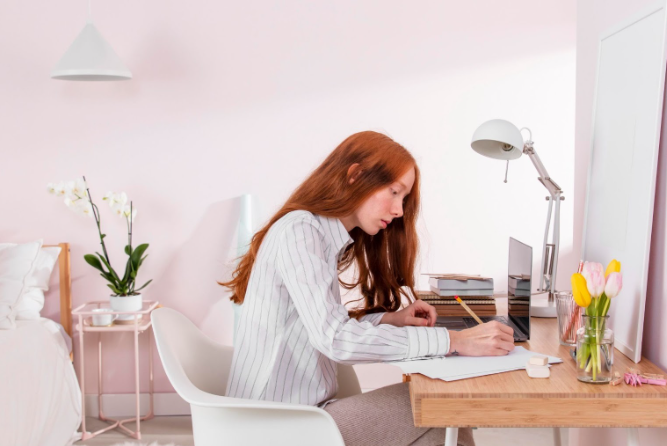
Setting Up Your Remote Home Office: Get In The Zone

Your home office should do more than hold your laptop, it should help you stay focused, comfortable, and productive throughout the day.
Whether you're new to remote work or just looking to upgrade your setup, the right workspace makes a big difference.
You don’t need a huge budget or fancy equipment to create a space that works. Small adjustments, like better lighting, a supportive chair, or a tidy corner, can boost your focus and comfort.
At We Work Remotely, we’ve seen how the right home office setup directly supports remote success. Millions of professionals use our platform to find flexible jobs, and your space should support that same flexibility.
In this blog, we will talk about:
How to plan a home office that fits your space and daily work needs- What tools and tech make remote work more comfortable and efficient
- Simple, affordable upgrades that improve focus, health, and productivity
Let’s break it down step by step to help you create a remote setup that works for you.
Planning Your Remote Home Office
Setting up your remote home office takes clear planning. You want a space that fits your work needs, offers a quiet and suitable spot, and has an easy-to-use, organized layout. These basics help you stay focused and comfortable during the workday.
Assessing Your Needs
Consider the type of work you do before selecting equipment and space. Do you primarily use a laptop, or do you need multiple monitors for your work? Will you take video calls often? Consider whether you require extra storage for documents or office supplies. Additionally, consider the essential tech components: a reliable internet connection, adequate lighting, and high-quality headphones or speakers.
Your health matters too. If you spend hours sitting, a good chair and desk height are crucial to avoid aches. Write down your daily tasks and what tools help you complete them smoothly. This list guides what your office must have, so you aren't buying items you don’t really need.
Choosing the Best Location
Pick a spot with minimal distractions where you can work comfortably. If possible, choose a quiet room with a door you can close to signal work time. Good natural light reduces eye strain, so position your desk near a window if you can. Ensure the space accommodates the necessary technical setup, including power outlets and reliable WiFi.
If your home is noisy, consider noise-canceling headphones to help you stay focused. Also, think about how much space you’ll need for movement during breaks or stretches. Avoid workspaces where loud noise or frequent interruptions are common. Your goal is to maintain a consistent environment that helps you transition into work mode quickly.
Creating a Functional Layout
Arrange your desk so your computer and tools are within easy reach. Keep frequently used items like pens, notebooks, or your phone close, but avoid clutter. Use trays or organizers to keep the surface tidy. Set your monitor at eye level to prevent neck strain. Your chair should support your back and allow your feet to rest flat on the floor. A small plant or personal item can make the space feel welcoming without distraction.
Consider what you might need for video calls, such as a clean background or a well-lit setup. Reserve a spot for breaks nearby if possible, so you can step away and recharge without leaving your home. Good layouts are simple. They allow you to work efficiently without feeling cramped or scattered.
Essential Office Equipment
Creating a remote office that works well means focusing on comfort, technology, and reliable internet. You need a good desk and chair for long hours, the right tech tools for smooth work, and a strong internet connection to stay connected.
Selecting an Ergonomic Desk and Chair
Your desk and chair should support your body to avoid pain and fatigue. Choose an adjustable chair with good lower back support. Make sure the seat height lets your feet rest flat on the floor. Pick a desk that fits your space and allows you to keep your arms at a 90-degree angle when typing.
If possible, use a desk that can convert to standing height to change positions throughout the day. This reduces strain and helps you stay active. Good posture helps prevent neck, back, and wrist issues. Investing in ergonomic furniture supports this and keeps you comfortable during long work sessions.

Must-Have Tech and Gadgets
You’ll want a reliable laptop or desktop with enough speed to handle your tasks without lag. A separate keyboard and mouse can improve comfort and accuracy. Add a high-quality webcam and microphone for clear video calls. These tools help you appear professional and stay connected with your team.
Consider noise-canceling headphones if your home environment is noisy. A second monitor can boost productivity by giving you more screen space to multitask. Keep chargers, cables, and backups organized. Simple extras like a desk lamp and cable management tools make your workspace tidy and efficient.
Reliable Internet and Connectivity
A fast, stable internet connection is key to effective remote work. Aim for a wired Ethernet connection if possible, as it’s more reliable than Wi-Fi. If you must use Wi-Fi, place your router close to your workspace and minimize interference. Consider a Wi-Fi extender if the signal is weak.
Test your internet speed regularly and upgrade your plan if needed. Reliable connectivity avoids interruptions during video calls and file uploads. Backing up important files to the cloud ensures you don’t lose work if your internet drops. Keeping devices updated also prevents connectivity issues.
Setting Up Lighting and Ambience
Good lighting and a comfortable atmosphere can make a big difference in how well you work at home. The right mix of natural and artificial light helps reduce eye strain and keeps your energy up. Adding thoughtful colors and decorations can also boost your mood and focus.
Natural Light Solutions
Natural light is one of the best options for your home office. Try to set up your desk near a window to get plenty of daylight. This helps keep you alert and can reduce headaches caused by poor lighting. If direct sunlight creates glare on your screen, use sheer curtains or blinds to soften it.
Balance is key, too much sun can make the room too warm or bright, so check the lighting at different times of day. If natural light is limited, consider mirrors to reflect light around the room. Plants near your workspace can also brighten the space naturally and improve air quality.
Choosing Artificial Lighting
When natural light isn’t enough, choose artificial lighting that mimics daylight. Use LED bulbs with a color temperature between 4000K and 6000K for a bright, white light that helps you stay focused. Avoid harsh overhead lights that cause glare or make your space feel cold. Task lighting is important.
A desk lamp that you can adjust works well to shine light where you need it most, reducing eye strain. If your office space is dark or small, try layering lights: combine a ceiling light, desk lamp, and floor lamp for even illumination.
Color and Decoration Ideas
Colors impact your mood and energy. Soft blues and greens can create a calm environment, while yellows or oranges add energy without distraction. Use accent pieces like cushions, art, or plants to bring life into your space without clutter. Keep decorations simple and personal.
Photos or small inspirational quotes remind you why you work hard. Try not to overcrowd your desk; a tidy space supports clear thinking. Using items that make you happy can keep motivation high while you work remotely.
Organizing for Productivity
A well-organized workspace helps you stay focused and reduces distractions. Simple steps like managing cables, clearing clutter, and using smart storage can make your remote office more efficient and comfortable.

Cable Management Tips
Loose cables create a messy look and can distract you during work. Use cable ties or Velcro straps to bundle wires together neatly. Label each cable to quickly identify devices without unplugging everything. You can also use cable clips to keep cords attached to your desk edges. This prevents cables from sliding off or getting tangled.
Running cables through a cable tray or under your desk keeps them out of sight and off the floor. Avoid using too many extension cords to reduce safety risks. If possible, position your devices close to power outlets. Managing cables not only improves your workspace's look but also helps you work without interruptions caused by tangled wires.
Decluttering Your Space
A clutter-free workspace reduces stress and lets you concentrate better. Start by removing items you don’t regularly use. Keep only essentials like your computer, notepad, and pens on your desk. Use a daily routine to quickly clear away papers, dishes, or other distractions.
Try the "one in, one out" rule, add something new only if you remove an item. This keeps clutter from building up. Keep personal items like photos or plants to a minimum so they don’t crowd your workspace. When your desk is tidy, it’s easier to find what you need and stay motivated during your work hours.
Storage Solutions
Smart storage keeps your remote office neat and your tools within easy reach. Use drawer organizers or small bins to sort office supplies, chargers, and notes. Label containers so you can find items quickly. Shelves or wall-mounted storage can save desk space while keeping materials handy.
If you use paper documents, a filing system or magazine holders help keep them orderly. Consider storage options that fit your room size. Portable carts or stackable boxes are great if you need flexibility. With the right storage, your workspace can stay organized even as your work changes.
Creating a Distraction-Free Workplace
To stay focused while working from home, it helps to control noise and clearly set limits with others around you. Small changes can protect your attention and keep your workday smooth.
Soundproofing and Minimizing Noise
Start by choosing a quiet spot for your home office, away from busy areas like the kitchen or TV rooms. You can use thick curtains or rugs to absorb sound and reduce echo. Noise-canceling headphones are a smart investment if you face loud or sudden sounds during work hours. If outside noise is a problem, try sealing gaps around windows and doors with weatherstripping.
A white noise machine or soft background music can help mask distractions without being annoying. Keep your phone on silent or vibrate, and turn off notifications that aren’t work-related. These small steps create a calm space where you can focus better.
Setting Boundaries at Home
Tell your family or housemates about your work schedule and ask them to respect your time. Use a clear signal, like closing a door or putting up a “Do Not Disturb” sign, to show when you shouldn’t be interrupted. Create rules about when it’s okay to chat or ask for help. This sets clear expectations and reduces unexpected disruptions.
If possible, plan breaks when you can give attention to others, so they don’t feel ignored. Working remotely means balancing home and work life. Setting these boundaries helps keep your work time productive and your home life peaceful. This way, you protect your focus and support those around you too.
Optimizing Comfort and Health
Creating a home office that supports your well-being is key to staying productive and feeling good every day. This means setting up your workspace to reduce strain and finding ways to move and stay active throughout the day.
Workspace Ergonomics
Ergonomics is about arranging your workspace to fit your body comfortably. Start with your chair: it should support your lower back and allow your feet to rest flat on the floor or a footrest. Your desk height matters too. Arms should bend at about a 90-degree angle when typing.
Position your monitor so the top of the screen is at or just below eye level. Keep it about 20 inches away to help reduce neck and eye strain. Use a separate keyboard and mouse if you work on a laptop for long periods. This can minimize discomfort during extended use.
Lighting also plays a role. Natural light is best, but if you need lamps, choose those that reduce glare and shadows. Keep important items within easy reach. This helps you avoid stretching or twisting frequently.
Incorporating Movement and Wellness
Staying active during the day can prevent stiffness and boost your focus. Set a timer to remind yourself to stand and stretch every 30 to 60 minutes. Simple movements like shoulder rolls, neck stretches, or a quick walk around the room help loosen tight muscles. Try to include a short workout or walk before or after work.
Even light exercise improves circulation and mood. Drinking plenty of water and eating balanced meals also supports your energy. If possible, create a workspace near a window or an open space for fresh air. These small steps help maintain your mental health.
Personalizing Your Remote Office
Making your home office feel like your own space helps you stay comfortable and focused. Start by adding items that inspire you, like pictures, plants, or art. These small touches can boost your mood during the workday. Choose colors that help you concentrate or feel calm. Soft blues or greens are great for a peaceful vibe. Brighter colors can add energy.
Adjust your lighting to suit your tasks. Natural light is best, but a good desk lamp can help when it's dark. Keep your workspace organized with storage solutions such as shelves, drawers, or boxes. This keeps clutter away and helps you find things easily. A tidy desk supports clearer thinking. Your chair and desk should fit your body to avoid discomfort.
Adding a cushion or footrest can make long hours easier. You want your setup to support good posture. Tailoring your home office to your style shows you respect your work time and helps you stay motivated. Remember, your office is where you spend a lot of time. Make it feel like a place you enjoy going to every day.
Maintaining and Upgrading Your Workspace
Keeping your remote workspace fresh and functional matters. Your setup should grow with your needs to help you stay focused and comfortable. Start by regularly checking your equipment. Look for worn-out chairs, keyboards, or screens that strain your eyes or posture. Small fixes now can prevent bigger problems later. Create a simple upgrade plan.
Focus on improving ergonomics with adjustable chairs or desks. Add better lighting to reduce eye strain. Upgrade tech tools like faster Wi-Fi or noise-canceling headphones. Organize your space often to keep clutter away. A tidy area helps your mind stay clear and productive. Use baskets, shelves, or desk organizers to keep things neat.
Consider adding personal touches that motivate you. Plants, photos, or inspirational quotes can make your office feel inviting without cluttering it. You don’t need to spend a lot at once; small changes over time make a big difference.
Use a checklist like this to guide you:
TaskWhy It HelpsHow Often Check chair and desk comfort | Avoids pain and fatigue | Every 3 months
Test tech performance | Keeps work smooth | Monthly
Declutter and organize | Boosts focus | Weekly
Update lighting | Reduces strain | Every 6 months
Test tech performance | Keeps work smooth | Monthly
Declutter and organize | Boosts focus | Weekly
Update lighting | Reduces strain | Every 6 months
By keeping your workspace up to date, you protect your health and improve your work quality.
Wrapping It Up
Your home office doesn’t need to be perfect, it just needs to work for you. With a few thoughtful choices, you can build a space that helps you stay focused, energized, and comfortable every day. From a solid chair to simple cable management, every detail adds up to a better remote work experience.
Remember, the goal isn’t a fancy setup, it’s a functional one that supports your goals and fits your life. At We Work Remotely, we’ve helped millions thrive in remote roles. Explore real job opportunities and find a setup that makes work feel better, starting now.

Frequently Asked Questions
Setting up your home office needs the right tools and a smart layout. You’ll want to focus on essentials, use space well, and pick affordable options. Having the right equipment also improves your daily work.
What essential items should I include in my home office setup checklist?
Start with a comfortable chair and a desk that fits your space. Good lighting is key to reduce eye strain. You’ll also need reliable internet, a computer, and basic office supplies like pens and notebooks.
How can I create an efficient home office in a limited space?
Use vertical storage like shelves to free up desk room. Choose multi-use furniture, such as a foldable desk or stackable chairs. Keep the area tidy to avoid distractions and use natural light whenever possible.
What are some cost-effective ways to set up a home office?
Look for second-hand desks or chairs in good condition. Use everyday household items for organization, like jars or baskets. Keep your setup simple and upgrade only when you need better tools.
Which equipment is crucial for a productive remote work setup?
A headset or quality microphone helps during calls. A second monitor can boost productivity if you handle many tasks. Make sure your laptop or computer meets your work’s software needs.
Can you suggest any home office layout ideas that enhance productivity?
Place your desk near a window for natural light. Keep frequently used items within arm’s reach. Avoid facing a wall to reduce feeling closed in. Keep distractions behind you or out of sight.
Where can I find inspiration for designing my home office space?
You can look online at portfolios or social media channels focused on remote work setups. Our platform, We Work Remotely, also shares tips and ideas from remote professionals. This helps you find styles that fit your work habits and space.